

CarPlay chatbots, FaceTime on PC, Xbox mode, TV standby explained

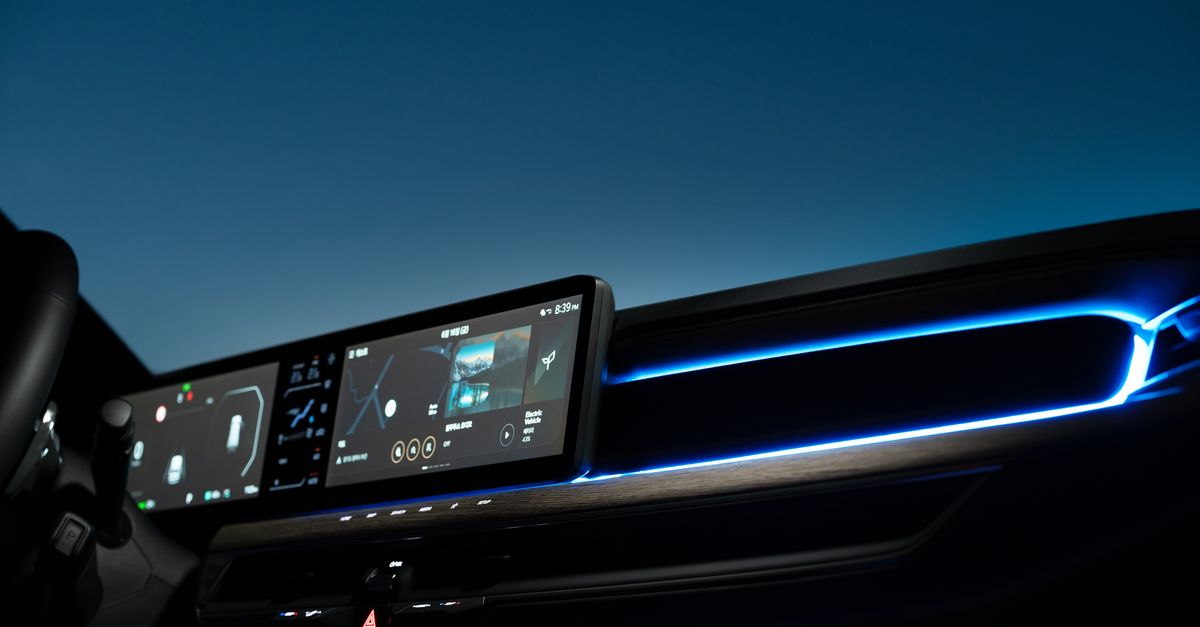
Photo by Hyundai Motor Group on Pexels
CarPlay finally lets you talk to third‑party assistants while you drive, and the same cross‑platform push is showing up in FaceTime, Windows gaming, and even TV standby.
Engadget notes that several chatbot apps now appear in CarPlay, FaceTime can be accessed from Android and Windows devices, Xbox mode mirrors the console’s Big Picture layout, and smart TVs keep running background tasks when powered off.
CarPlay opens the door to third‑party chatbots
Drivers who have spent years tapping Siri for directions, reminders, or quick searches often complain about latency and limited knowledge. The new CarPlay integration lets you launch a handful of alternative assistants directly from the dashboard. Engadget confirms that the change is not a beta experiment; the apps sit alongside Maps and Music, reachable with a single tap. For commuters who prefer a more conversational tone or a different set of skills, the option feels like a genuine upgrade.
The practical impact is immediate. You can ask a non‑Apple bot to read a news brief, control a smart thermostat, or fetch a code snippet without pulling out your phone. The experience still respects CarPlay’s safety constraints – no free‑form typing, voice‑only interaction where possible. Critics worry that Apple’s ecosystem will fragment as more services vie for the limited screen real estate, but the move also pressures Siri to improve its relevance. In a market where drivers increasingly treat their cars as extensions of their smartphones, the choice matters.
FaceTime steps beyond Apple devices
Apple has long marketed FaceTime as a closed‑loop video service, but Engadget points out that the call can now be joined from Android phones and Windows PCs. The feature does not replicate the full iOS UI; instead, it drops you into a stripped‑down client that handles the audio‑video stream. The workaround uses a web‑based bridge that authenticates with your Apple ID, then routes the call to the foreign device.
The limitation is clear: you cannot start a new FaceTime call from the non‑Apple endpoint, and group call features are reduced. Still, the ability to hop onto a meeting while your laptop is already open saves the hassle of switching to a separate app. For teams that have standardized on FaceTime for internal chats, the change eliminates the need for a secondary Apple device in the meeting room. The move also hints at Apple’s reluctant acknowledgment that exclusivity hurts adoption in mixed‑OS environments.
Xbox mode brings console comfort to Windows PCs
Microsoft’s Xbox mode on Windows mimics the console’s Big Picture interface, delivering a full‑screen, controller‑centric menu that replaces the traditional desktop. Engadget describes the mode as a “gaming‑friendly interface that works well with a controller,” and the experience feels like stepping into a living‑room console without leaving the PC.
Beyond the visual overhaul, Xbox mode re‑maps common shortcuts to controller buttons, making it easier to launch games, adjust settings, and switch between apps without a keyboard. The feature targets hybrid gamers who use a laptop for work but want a quick transition to a couch‑ready setup. Some reviewers note that performance can dip on older hardware, but the convenience outweighs the occasional lag for many users. The mode also signals Microsoft’s broader strategy to blur the line between PC and console, encouraging developers to think of Windows as a first‑class gaming platform.
Smart TV standby does more than look idle
Push the power button on a modern smart TV and the screen goes dark, but the hardware stays active in a low‑power state. Engadget explains that these devices are designed to perform a number of important tasks without you realizing, from downloading firmware updates to pre‑fetching streaming content.
The background activity means that a TV can wake instantly to a new episode or display a notification from a connected smart home hub. It also keeps network listeners alive, allowing voice assistants to respond even when the picture is off. The trade‑off is a small increase in electricity use, which some users might find surprising. However, the convenience of an always‑ready media hub outweighs the modest energy cost for most households. Understanding standby behavior helps consumers make informed choices about power strips and energy‑saving settings.
What to watch next
The next wave of cross‑platform integration will likely test the limits of user privacy and data sharing. Keep an eye on Apple’s upcoming CarPlay developer guidelines to see how third‑party bots handle voice data. Watch for Microsoft’s updates to Xbox mode that could add cloud‑gaming shortcuts directly to the interface. Monitor whether Apple expands FaceTime’s web bridge into a full desktop client, and track smart‑TV firmware releases that expose more granular standby controls. Each of these moves will shape how fluidly we move between devices in the coming year.
Related Articles
Apple fixes iPhone alarm, tweaks CarPlay, previews iPhone 18
Apple’s iOS update forces alarms to ring at full volume, offers CarPlay disconnect tricks, and previews the iPhone 18 Pro line, while budget accessories ease CarPlay adoption.
Apple layers AI, security and health tools across iOS
Apple adds Meta AI to CarPlay, rolls out Memory Integrity Enforcement, previews smart glasses and backs sleep‑tech f.lux, reshaping its ecosystem.

TCL Android TVs Expose Full Filesystem
TCL smart TVs let anyone browse their internals over Wi‑Fi while Samsung introduces a three‑layer GAIA shield for its Tizen TVs, raising the stakes for home hubs.