

Apple updates icons, iOS keyboard, EU rules and MacBook Air


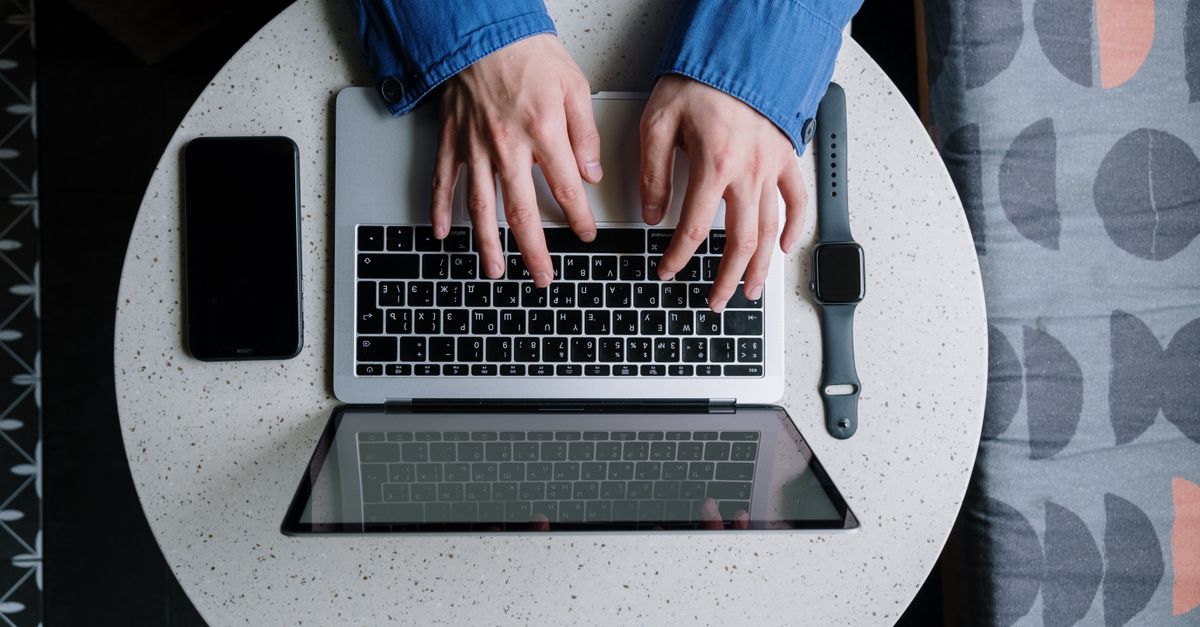
Photo by Jean-Daniel Francoeur on Pexels
Apple Music Classical gets a monochrome makeover
Apple replaced the red‑background music note on the Apple Music app with a black‑and‑white silhouette and immediately applied the same look to the Apple Music Classical sub‑app. The change arrived as part of the broader redesign of the Music icon that rolled out earlier this month. By matching the Classical icon, Apple eliminates the visual inconsistency that had persisted since the original launch of the streaming service.
The new icon is a flat, two‑tone representation of a treble clef on a white background. No new functionality accompanies the graphic swap; it is purely a branding decision. The move underscores Apple’s willingness to align subsidiary apps with the parent brand’s visual language, even when the subsidiary serves a niche audience of classical‑music aficionados.
Czech keyboard character disappears from iPhone lock screen
A 21‑year‑old university student in the United States, Connor Byrne, found his iPhone 13 unusable after updating from iOS 18 to iOS 26.4 on April 5. The update removed the ability to type the háček (ˇ) on the lock‑screen keyboard, a character that Byrne used in his alphanumeric passcode. iOS 18 was the last version that accepted the háček; the newer lock‑screen keyboard now shows an acute accent in its place, but the key does not register the character.
Byrne’s phone is cracked, and the photos stored on it are his primary concern. He has no iCloud backup and cannot retrieve the data from another device. Apple support advised a full restore, which would wipe the device clean. Byrne purchased a cheap Android phone to stay connected while waiting for a fix, noting that “the phone’s very cracked, so, at this point, the photos contained in it are more valuable than the ability to use the phone itself.”
The Register’s in‑house testing confirmed that the háček remains in the Czech keyboard layout but is blocked on the lock‑screen passcode entry. The key animates and produces the usual tap sound, yet the character never enters the string. Attempts to substitute the acute accent or downgrade to iOS 26.3.1 failed. The issue appears to affect any user who relies on non‑ASCII characters in a custom passcode, and Apple has not re‑introduced the character in iOS 26.4.1.
EU antitrust ruling forces App Store rule overhaul
In March, the European Commission fined Apple $2 billion for anti‑steering practices that prevented music‑streaming apps from linking to external purchase options. The settlement required Apple to strip the “anti‑steering” clause from its App Store guidelines. Apple complied by adding a new entitlement that lets streaming services in the European Economic Area embed a link or buy button directing users to a developer‑controlled website that lists alternative purchase methods and prices.
The entitlement also permits apps to request a user’s email address solely for the purpose of sending the external link. The rule applies only to iOS and iPadOS storefronts in the EEA; all other regions remain subject to the original prohibition on external links. Apple signaled that it will appeal the fine, but the guideline change is now live.
Simultaneously, Apple expanded guideline 4.7 to explicitly allow retro‑game console emulator apps to offer downloadable games worldwide. Previously, emulators survived on the Store only by hiding the download functionality. The updated language now lists HTML5 mini apps, streaming games, chatbots and plug‑ins as permissible, provided developers ensure compliance with all applicable laws.
MacBook Air finally receives a Retina panel
Apple unveiled a refreshed 13.3‑inch MacBook Air at a Brooklyn event, with pre‑orders opening the same day and shipments slated for November 7. The entry‑level model starts at $1,199, a $200 premium over the prior $999 baseline. The most visible upgrade is a Retina display that jumps from the legacy 1440×900 panel to a 2560×1600 screen, delivering 48 % more colour coverage and a 50‑percent reduction in bezel width.
Under the hood, the notebook ships with an 8th‑generation dual‑core Intel Core i5 clocked at 1.6 GHz, Intel UHD Graphics 617, 8 GB of DDR3 RAM and a 128 GB SSD. Configurations can be expanded to 16 GB RAM and 1.5 TB SSD. The machine retains the ultra‑thin butterfly keyboard introduced on recent MacBook Pro models and replaces the old chiclet keyboard. It also adds Touch ID, a T2 security chip, a three‑mic array, side‑mounted speakers claimed to be 25 % louder, and a 720p FaceTime camera. Connectivity is limited to two Thunderbolt 3/USB‑C ports and a 3.5 mm jack; users must rely on adapters for USB‑A, HDMI or SD‑card access.
Apple advertises up to 12 hours of web‑browsing battery life and includes a 30 W USB‑C power brick. The chassis weighs 2.75 lb and measures 15.6 mm thick, making it a quarter‑pound lighter and 10 % thinner than the previous Air. The enclosure is advertised as being built from 100 % recycled aluminum, continuing Apple’s environmental narrative.
macOS Ventura 13.1 patches Wi‑Fi instability tied to AWDL
Apple’s recent macOS Ventura 13.1 update addresses a network‑performance bug that has plagued M1 and M2 MacBooks running Ventura 13 or Monterey. The problem stems from the Apple Wireless Direct Link (AWDL) interface, which powers AirDrop and AirPlay. When AWDL remains active, the Wi‑Fi stack can reset intermittently, causing throughput drops, random disconnections and, in extreme cases, complete loss of the Wi‑Fi connection.
Meter, a monitoring service, documented the issue across macOS 12.6.2, 13.1 and earlier builds. Apple’s interim recommendation is to disable AWDL, either via the Settings UI (turning off Bluetooth and AirDrop) or by running a Terminal script that disables the interface at boot. The script can be installed as a launch daemon to survive reboots and sleep cycles. Apple’s own testing indicates that the 13.1 firmware revision removes the offending code path, restoring stable Wi‑Fi for affected devices.
What to watch
The lock‑screen keyboard bug will likely surface again if Apple expands custom‑character passcodes beyond the Latin alphabet. Monitoring iOS 27 release notes for a reinstated háček or a broader character‑set policy will be essential for security‑conscious users. In the EU, the next checkpoint is Apple’s appeal of the $2 billion fine and any subsequent amendments to the App Store steering rules; developers should watch for updates to the entitlement implementation timeline. The MacBook Air’s Retina panel will face head‑to‑head performance tests against competing ultrabooks that use Apple‑silicon; early benchmark releases will reveal whether the Intel‑based Air can stay relevant. Finally, macOS users should verify that their systems have applied Ventura 13.1 or later and confirm that AWDL remains disabled if they experience lingering Wi‑Fi glitches.
Related Articles
Apple's Fall Rollout Redefines Phones, Macs, and Photos
iOS 27 revamps Shared Albums, Samsung supplies iPhone Duo’s foldable screen, and Apple lines up a touchscreen MacBook Pro and OLED iPad mini for October.
Apple juggles lawsuits, new chips
Apple faces an Epic Games lawsuit claim, rolls out an M6 MacBook Pro, expands iCloud+, debuts a Vision Pro horror film, and opens iPhone Duo pre‑orders.
Apple pushes local AI, expands Swift Challenge
Apple releases iOS 27.2, previews Harbor for on‑device AI, broadens the Swift Student Challenge and hints at HomeView upgrades, signaling tighter hardware‑software ties.